Download the CLI and bring the Stack platform into any Kubernetes cluster with a single command.
curl -fsSL https://stack-cli.com/install.sh | bashStack CLI lets you define your entire web application stack in a single configuration file.
If you've used Docker Compose, this should feel familiar. There are no Helm charts to assemble and no manifests to glue together.
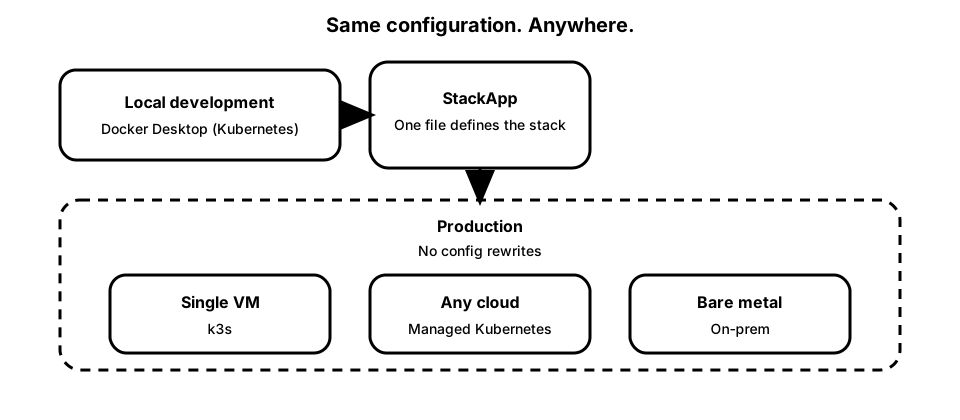
Run the same configuration locally using Docker Desktop’s built-in Kubernetes, then deploy it unchanged to production. What you develop against locally is what you run in production.
apiVersion: stack-cli.dev/v1
kind: StackApp
metadata:
  name: bionic-gpt
  namespace: bionic-gpt
spec:
  components:
    ingress:
      port: 30010
    db:
    rest: {}
    oidc:
      hostname-url: http://localhost:30013
    auth:
      api_external_url: http://localhost:30010/auth
      site_url: http://localhost:30010
      confirm_email: false
    storage:
      install_minio: true
  services:
    web:
      image: ghcr.io/bionic-gpt/bionicgpt:1.11.59
      port: 7703
      migrations_database_url: APP_DATABASE_URL
      init:
        image: ghcr.io/bionic-gpt/bionicgpt-db-migrations:1.11.59
        migrations_database_url: DATABASE_URL
        env:
          - name: INIT_MESSAGE
            value: "warming up"
A simplified view of the Stack platform. You can enable one component or run them all together.
Every StackApp gets a full PostgreSQL database with app-scoped credentials and sane defaults.
Use Supabase Auth for application sign-up/login, with optional OIDC gateway login via oauth2-proxy + Keycloak.
Get instant REST endpoints on top of Postgres without writing boilerplate handlers.
Stream changes to clients for collaborative and live-updating experiences.
Store and serve files with S3-compatible object storage integrated into your app stack.
Every web application ends up needing the same backend pieces: a database, authentication, APIs, realtime, storage, and ingress.
Stack installs and wires these components per application namespace using proven open-source projects—so you don't spend weeks assembling charts, manifests, and glue code.
This is the setup most teams eventually arrive at—without the experimentation phase.
Each StackApp gets its own isolated set of backend services, so environments stay clean and predictable.
Stack works with Kubernetes you already have. Docker Desktop includes a built-in Kubernetes cluster, so you just flip it on and start developing.
The same StackApp you run locally can be deployed unchanged to staging and production. No separate compose files. No environment-specific rewrites.
Stack doesn't introduce a new runtime or control plane, it builds on standard Kubernetes so local and production stay aligned.
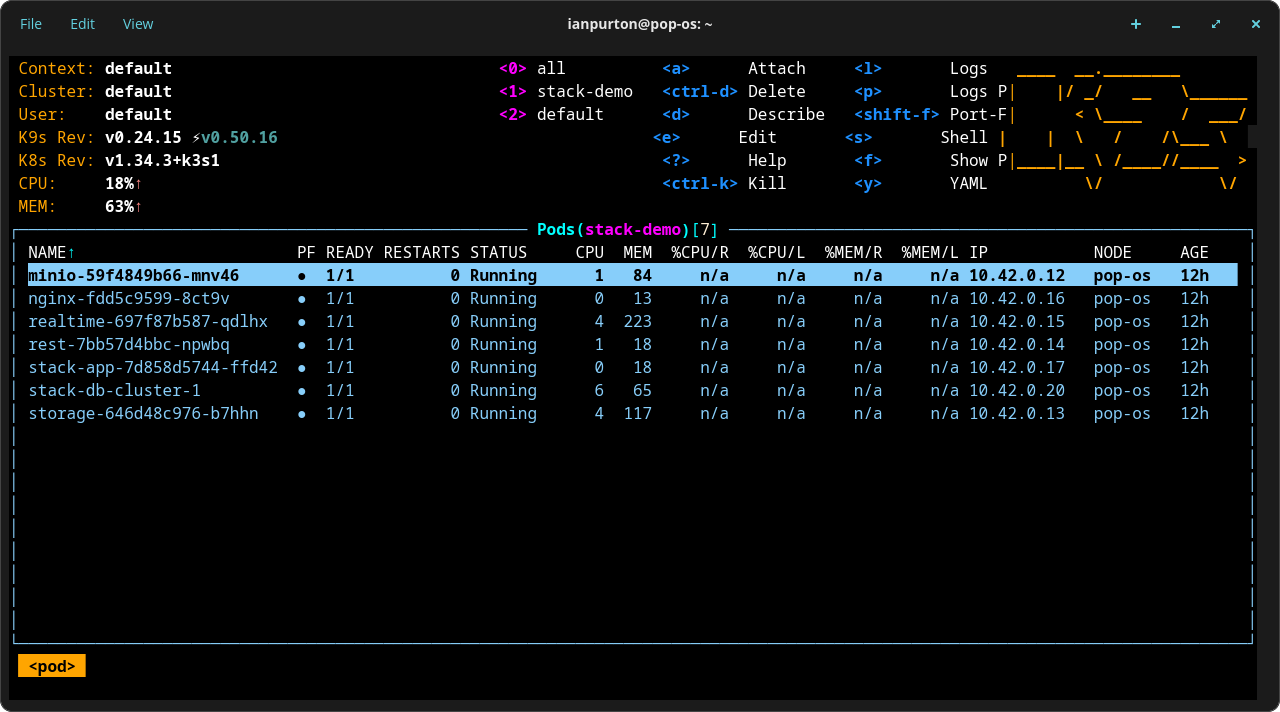
Stack is built on standard Kubernetes, so you're not locked into a specific cloud or provider.
For production, many developers run Stack on a simple VM using k3s, a lightweight Kubernetes distribution that's easy to set up and operate.